




Why CAD Decor PRO
CAD Decor PRO is a comprehensive interior design tool for architects and designers, combining 2D, 3D, manufacturer libraries, material editing, technical documentation, and rendering in a single intuitive interface that speeds up your work.
CAD Decor PRO licenses
When you purchase CAD Decor PRO
EXPERT package, you will receive FREE*
The support, knowledge, and tools you need
to design like a pro.
*Perpetual and temporary license – 12 months, trial license – 28 days.
Wondering which program to choose? See a comparison of our programs HERE
Who is CAD Decor PRO for?
- Interior designers – both freelancers and employees of design studios who create visualizations and technical documentation.
- Architects – for quickly preparing interior design concepts and presentations for clients.
- Decorators and stylists – for planning furniture layouts, colors, textures, and accessories.
- Salespeople and advisors in interior design stores – for creating visualizations for customers on site.
- Furniture and equipment manufacturers – for presenting products in realistic arrangements.
- Renovation and finishing companies – to show the customer the final result before starting work.
- Lecturers and students of design courses – as an educational tool and for learning practical design.
- Developers and investors – to create visualizations of show apartments and marketing materials.
Key features of CAD Decor PRO
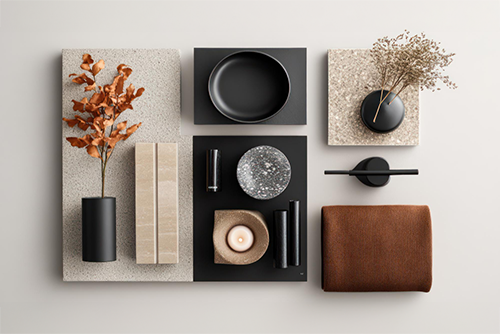
What else do you gain?
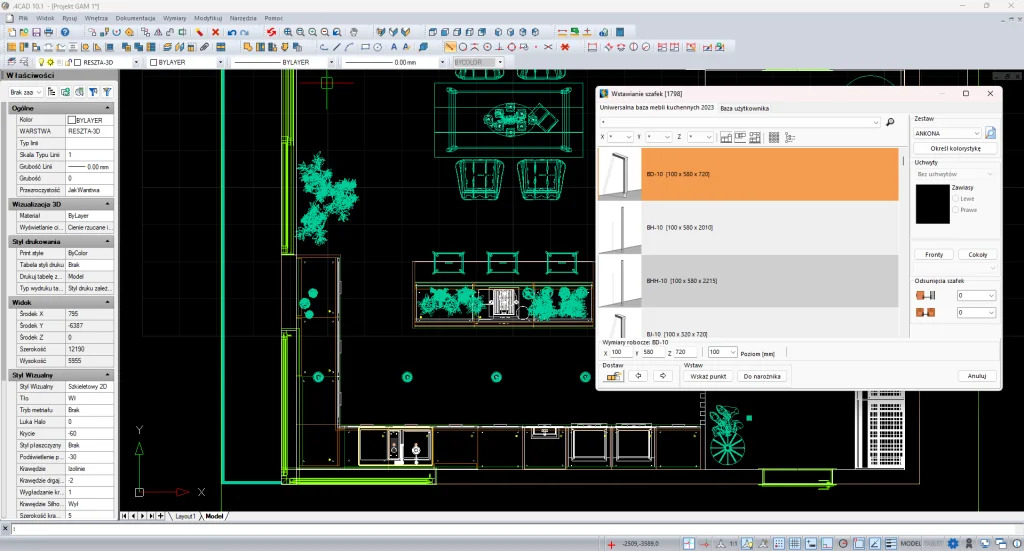
Kitchen cabinets – insertion and editing
Access to ready-made furniture databases and the ability to create and edit your own cabinets. Design custom kitchen furniture with a wide selection of fronts, bodies, and handles, as well as access to a wide range of textures.
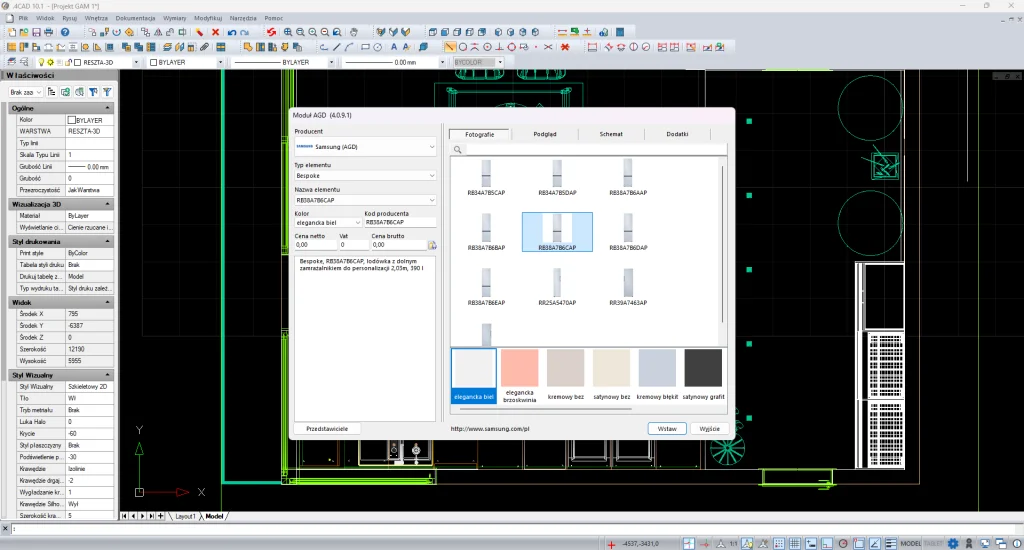
Household appliances databases
Kitchen furniture and household appliance product databases enable designs that are in line with current trends, taking into account real market solutions. The library is constantly updated and enriched with new models, and household appliances can be easily embedded directly into the furniture, creating a coherent and functional arrangement.
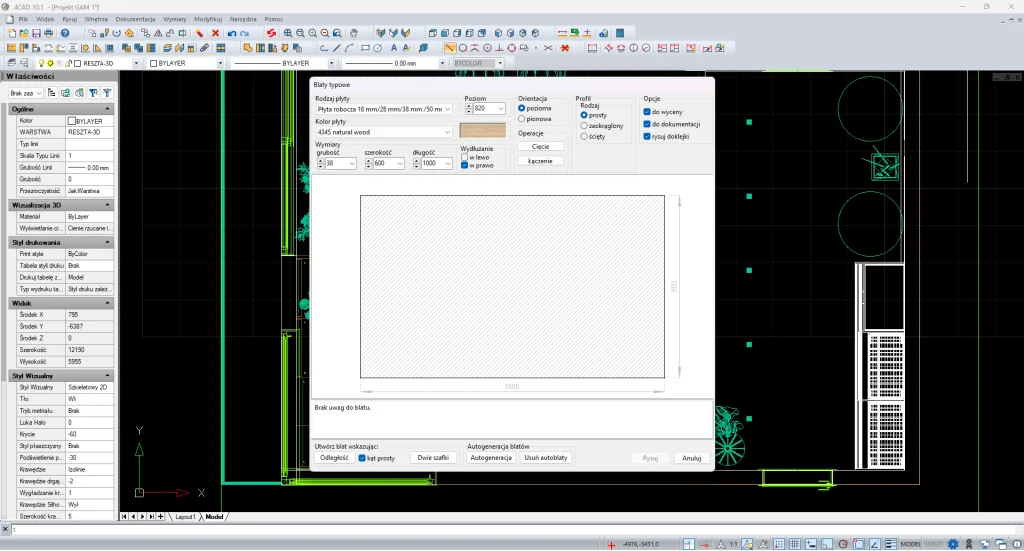
Countertops and moldings
Quick creation of countertop and crown moldings in automatic or manual mode, with the ability to define your own profiles. The user can also generate standard or custom countertops and prepare their technical documentation.
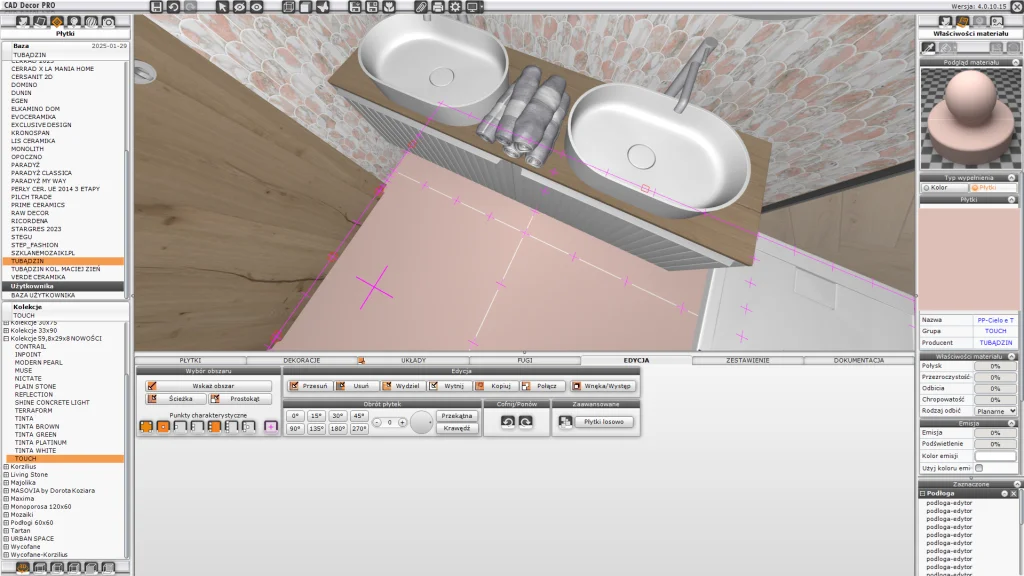
Ceramic tiles
Extensive databases of renowned manufacturers enable quick selection of appropriate materials. Drag & Drop tile placement allows you to easily create any layout and composition. The program offers advanced editing tools, including layout optimization and efficient use of waste, as well as precise joint editing. The whole thing is complemented by an automatic quantity and price list generation function, which significantly streamlines the design and costing process.
3D models – import and insertion
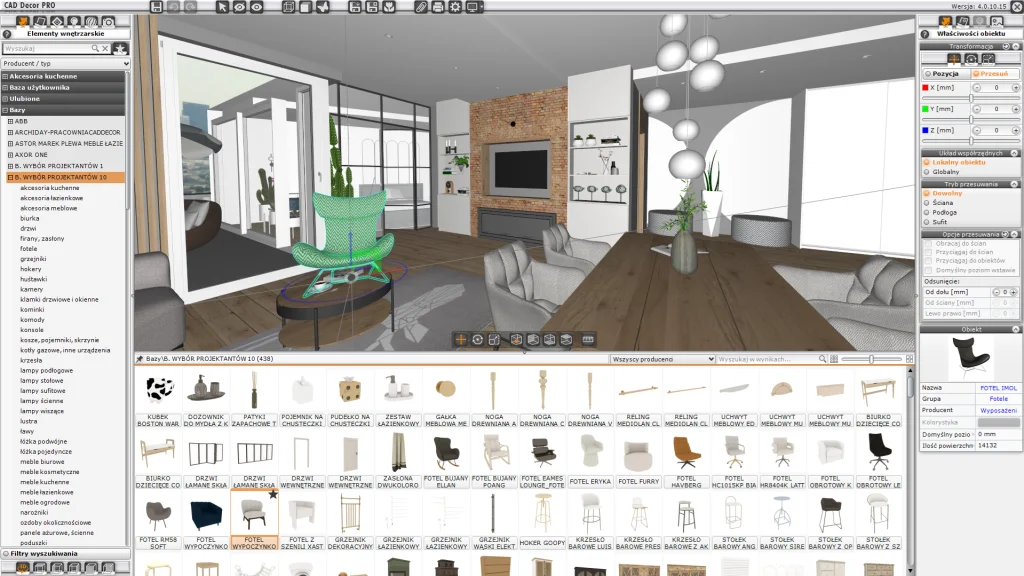
Access thousands of 3D models in the right scale and with realistic textures. Modify dimensions, colors, and materials, and import your own objects (DWG, DXF, 3DS, OBJ, SKP, STL). Intuitive insertion with snapping to walls, rotation, and height adjustment. Models from universal and manufacturer libraries can be easily filtered and searched, and the elements used are automatically included in the project summary and pricing.
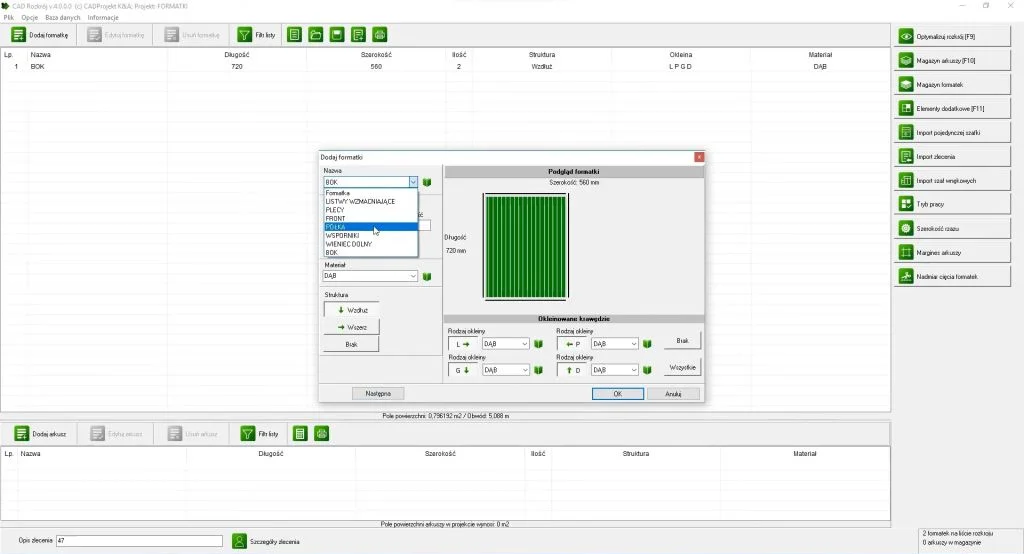
Optimization of furniture board cutting
It allows for automatic layout of elements on sheets, minimizing waste and reducing production preparation time. The software is also compatible with CNC machines, enabling data export to formats supported by the most popular machining centers.
Minimum requirements
- System: Windows 10/11 (64-bit)
- Processor: 4 cores recommended, SSE 4.1
- RAM: 16 GB recommended
- Graphics card: NVIDIA GeForce only
- Hard drive: approx. 120 GB free space
- Internet: required for updates
What you can do in CAD Decor PRO

Create a room

Design your own elements

Insert kitchen cabinets

Select an AGD manufacturer

Choose interior furnishings

Use brand-name tiles and grouts

Select textures and define materials

Create visualization

Prepare technical documentation

Create animations and AVI films

Present a project using VR technology in the obserVeR application

Achieve spherical animation and 360 panoramas
Compare our programs
CAD Decor PRO
- CAD Decor 4.X
- CAD Kitchens 8.X
- Render PRO Module
- Inserting 3D models in visualization
- Cabinet Design and Edition Module
- obserVeR application
- Databases
CAD Decor
- Inserting 3D models in visualization
- 3D Converter module
- Ceramic Tiles Design Module with Tile Database Editor
- Databases
CAD Kitchens MAX
- CAD Kitchens Standard
- Cabinet Design and Edition Module
- Inserting 3D models in visualization
- CAD Cut 4.X
- Databases
CAD Cut
- optimization of cutting boards
- valuation of the order
- working with CAD Kitchens 7.X and 8.X
- working with CAD Decor PRO 4.X